How Do I Set Up Online Banking in Panama?
Oh, the joy of banking in Panama! Or, shall we say, the experience of it. You’ve likely navigated the labyrinthine process of actually opening a bank account, dealing with stacks of paperwork, proofs of origin for funds, and the occasional language barrier that makes you feel like you’re trying to decode ancient hieroglyphs. But trust me, friend, the real game-changer, the moment you reclaim a sliver of your financial autonomy, is when you finally get your online banking set up. This guide is going to walk you through exactly how to do that, sparing you some headaches and extra trips to the branch, because managing your money shouldn't feel like a full-time job.
Why Online Banking is Absolutely Non-Negotiable for Expats in Panama
Let's be honest, life here is vibrant and full of unique charms, but convenience at the bank branch isn't always one of them. While Panamanian banks are diligently modernizing, the in-person experience can still be… let's just say, a test of patience. That’s where online banking steps in as your absolute financial lifeline.
Escaping the Paperwork and Queues
Remember those days spent waiting in line at the bank, sometimes for a simple balance inquiry or a local transfer? Or perhaps you recall the feeling of being handed yet another multi-page form to fill out for something that, in your home country, would take two clicks? Panamanian bank branches, particularly in busy areas of Panama City or David, can have notoriously long wait times, and many services still default to paper forms. If you're running a business, managing your household, or simply trying to live your life, spending hours at the bank is simply not sustainable.
Online banking liberates you from this cycle. Need to check your balance at 9 PM on a Sunday? Done. Want to transfer money to a local friend or pay your utility bill before the office closes for lunch? You can do it all from your laptop or phone, wearing your pajamas. It drastically cuts down on the physical trips you need to make, giving you back precious hours in your week. This becomes even more critical if you're not in one of the major cities and your local branch has limited hours or services.
Convenience and Accessibility at Your Fingertips
The ability to access your financial information and conduct transactions 24/7, from anywhere with an internet connection, is a luxury that quickly becomes a necessity. Imagine you're traveling out of the country or simply enjoying a weekend getaway in the mountains of Boquete. Without online banking, any urgent financial matters would have to wait until you return or until banking hours resume. With it, you can effortlessly manage your accounts from abroad, check on pending payments, or even quickly freeze a lost card. This level of control is invaluable for expats who often have financial ties both in Panama and internationally.
Moreover, if you have multiple accounts, perhaps a personal one and a business account, online banking provides a centralized hub to monitor everything. No more juggling different passbooks or remembering which branch to visit for which account. It brings all your Panamanian financial operations under one digital roof, making your life significantly less complicated. For those who also deal with international income or need to file their taxes online, this streamlined access is a godsend. Speaking of which, tools and services like Taxes for Expats can be much easier to manage when you have a clear, digital overview of your local finances.
Enhanced Financial Management and Control
Beyond just convenience, online banking empowers you with better financial management. Most platforms offer detailed transaction histories, allowing you to categorize spending, track your budget, and keep an eye on your cash flow. This is particularly helpful when you’re navigating a new economy and trying to understand your Cost of Living in Panama for Expats (2026). You can set up recurring payments for rent, utilities, or even school fees, ensuring you never miss a deadline.
Think about it: setting up automatic payments for your electricity, water, and internet bills means one less thing to remember each month. You can even pay your credit card bills directly from your checking account with ease. This automation reduces stress and helps you avoid late fees, which, let's face it, can really add up. For anyone trying to get a handle on their finances in a new country, having this level of detailed, accessible control is truly indispensable.
The Step-by-Step Process to Set Up Online Banking in Panama
Alright, let's get down to brass tacks. While the specific steps might vary slightly between banks like Banco General, Banistmo, or Bac Credomatic, there’s a general roadmap that most Panamanian financial institutions follow. And yes, it often starts with a visit, or at least a call, to the physical branch.
Initial Account Setup and Requirements
First things first, you can't set up online banking without a bank account. So, if you haven't already, your journey begins with understanding The Expat Guide to Opening a Bank Account in Panama. Once your account is active, you’ll typically need a few key pieces of identification and information ready. This usually includes:
- Your Cedula or Passport: Your primary form of identification that you used to open the account.
- Your Account Number(s): Make sure you have the exact numbers for all accounts you wish to link to your online profile.
- A Valid Email Address: This is crucial for notifications, password resets, and sometimes for initial registration codes.
- A Panamanian Phone Number: Many banks use SMS for two-factor authentication (2FA) or to send temporary codes. Ensure your local number is correctly registered with the bank.
- Your RUC (Registro Único de Contribuyente): If you're self-employed or have a business account, your RUC, or tax identification number, might be required. If you're not sure about this, check out How to Get an RUC (Tax ID) as a Foreigner in Panama.
Some banks might also ask for your Ficha or Comprobante de Registro from your initial account opening, so it's always a good idea to bring all your original bank documents with you if you're heading to a branch.
Registering for Online Access: Often a Physical Start
This is where Panamanian banking often diverges from what expats might be used to back home. While some banks in other countries allow entirely online registration for online banking, most Panamanian banks, especially for new accounts, prefer or require an initial in-person activation.
- Visit Your Branch (Likely): For many, particularly with banks like Banco General or Banistmo, the most common route is to visit your account-opening branch. Inform a customer service representative that you want to activate online banking (banca en línea or banca por internet).
- Fill Out a Request Form: You’ll be given a form to fill out, requesting access to online services. This form will often ask you to choose a username or confirm details.
- Receive Your Initial Credentials: After processing (which could be immediate or take a day or two), you’ll either be given a temporary username and password, or an activation code. Sometimes this is printed out for you, or it might be sent to your registered email or phone. Crucially, do not lose this!
- Online Registration (If Applicable): In some cases, after your in-branch request, you might then complete the full registration online. You’d navigate to the bank's official website, look for the "Online Banking" or "Personal Banking" section, and click "Register" or "Activate." You'd then input your personal details, account number, and the temporary credentials provided.
It’s worth noting that patience is key here. If the representative at the general service desk seems unsure, ask to speak with someone from the departamento de tecnología or a dedicated online banking specialist. Sometimes, they have specific kiosks or areas set up for this.
Activating and Navigating Your New Online Portal
Once you have your initial username and password (or activation code), you're ready to dive into the digital realm.
- First Login: Go to your bank's official website. Look for the "Banca en Línea" or "Online Banking" login area. Enter your temporary username and password.
- Change Your Password: The system will almost certainly prompt you to change your password immediately. Choose a strong, unique password that you haven't used anywhere else. We’re talking a mix of upper and lower case letters, numbers, and symbols.
- Set Up Security Questions: You'll likely be asked to choose and answer several security questions. These are your backup in case you forget your password, so choose answers you’ll remember but that aren't easily guessed by others.
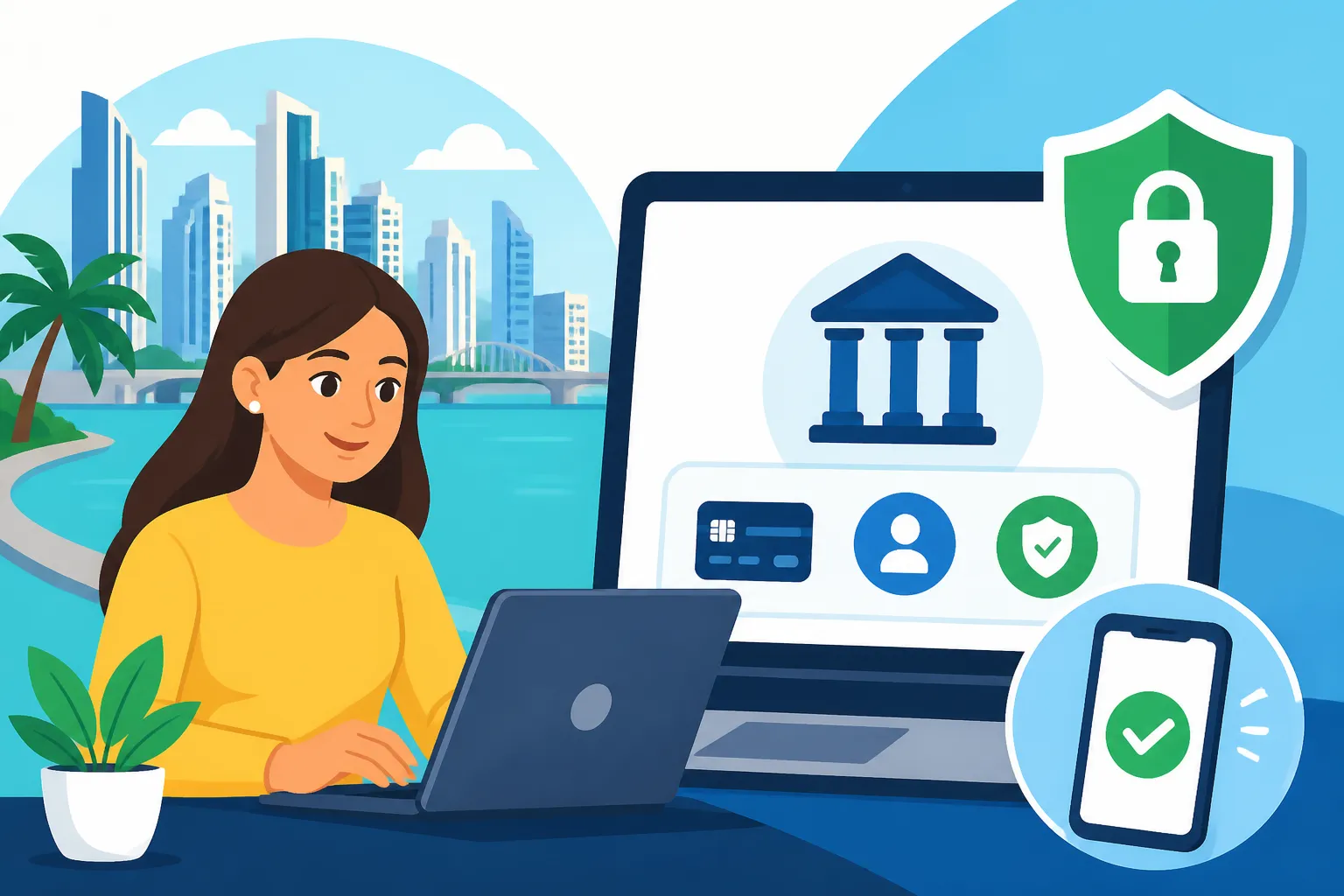
- Activate Two-Factor Authentication (2FA): This is paramount for your security. Many Panamanian banks offer 2FA, often via an SMS code sent to your registered phone number, or through a token generator (physical or app-based). Always enable this feature if it's optional. It adds an extra layer of protection, making it much harder for unauthorized individuals to access your account, even if they somehow get your password.
- Explore the Features: Take some time to navigate the online portal. Familiarize yourself with where to find your account balances, transaction history, bill payment options, and transfer functions. Each bank's interface will be a little different, but they generally aim for user-friendliness.
Don't be afraid to click around! Most platforms have clear labels, and some even offer English language options. If you're feeling a bit lost, remember that the bank's customer service number is usually listed prominently on the site.
Common Hurdles and How to Overcome Them
Even with the best intentions, setting up online banking in Panama can throw a few curveballs. But don’t worry, we’ve all been there, and there are ways to navigate these challenges.
Language Barriers and Support
One of the most frequent frustrations for expats is the language barrier. While many online banking platforms, especially from larger banks like Banco General or Banistmo, offer an English option, their customer support staff may not always be fluent.
- Be Patient and Clear: When speaking on the phone or in person, speak slowly and clearly. Use simple Spanish if you can, or prepare key phrases beforehand. Having a translation app handy can also be a lifesaver.
- Ask for an English Speaker: Don't hesitate to politely ask, "Habla inglés?" (Do you speak English?) or "Hay alguien que hable inglés?" (Is there someone who speaks English?). Many larger branches, especially in Panama City, will have English-speaking staff, particularly in the customer service or international banking departments.
- Use Online Resources: Check the bank’s website for FAQs or tutorials. Sometimes, visual guides can be more helpful than verbal explanations, especially if you're struggling with translation. You can often find a lot of information on how to use specific online banking features, such as How to Set Up Online Banking with a Panamanian Bank.
Security Concerns and Best Practices
In an increasingly digital world, security is paramount. When you're dealing with your finances in a foreign country, vigilance is key. Panamanian banks generally employ robust security measures, but you also have a role to play.
- Phishing Scams: Be extremely wary of emails or messages purporting to be from your bank asking for your login details, password, or account information. Banks will never ask for your full password via email. Always check the sender's email address and look for any suspicious links. When in doubt, go directly to the bank's official website by typing the URL yourself, rather than clicking on a link.
- Strong Passwords and 2FA: As mentioned, always use strong, unique passwords and activate two-factor authentication. Treat your 2FA token or phone like gold, as it’s your key to accessing your funds.
- Public Wi-Fi: Avoid conducting sensitive banking transactions on public, unsecured Wi-Fi networks. These can be vulnerable to interception. If you must use public Wi-Fi, use a Virtual Private Network (VPN) for an added layer of security.
- Monitor Your Accounts: Regularly check your transaction history for any unauthorized activity. If you spot anything suspicious, contact your bank immediately.
This vigilance is important for all your financial dealings, including preparing for things like Filing Your Tax Return with the DGI in Panama: The Complete Walkthrough (2027). The more secure your online banking, the safer your overall financial situation.
Here's a quick table to help you remember key security tips:
| Security Practice | Description | Why It Matters |
|---|---|---|
| Strong Passwords | Use a mix of upper/lowercase letters, numbers, and symbols. Avoid common words or personal info. Change regularly. | Prevents brute-force attacks and easy guessing. |
| Two-Factor Authentication | Enable SMS codes or app-based tokens. | Adds an essential layer of security; hackers need both your password and your device. |
| Verify Communications | Never click suspicious links in emails/SMS. Banks won't ask for personal info via unsolicited messages. Call bank directly if unsure. | Protects against phishing and social engineering scams. |
| Secure Wi-Fi | Avoid online banking on public, unsecured networks. Use a VPN if necessary. | Prevents data interception by malicious actors on shared networks. |
| Regular Monitoring | Check your transaction history frequently for any unfamiliar activity. | Helps detect and report unauthorized transactions quickly. |
| Device Security | Keep your computer/phone operating system and antivirus software updated. Use a passcode/biometrics on your devices. | Protects against malware and unauthorized physical access to your banking apps. |
Technical Glitches and Troubleshooting
Technology isn't always perfect, and Panamanian online banking platforms, while functional, can sometimes have their quirks. You might encounter slow loading times, temporary system outages, or login issues.
- Clear Cache and Cookies: If the website is acting strange, try clearing your browser's cache and cookies. Sometimes old data can interfere with new logins.
- Try a Different Browser/Device: If one browser isn't working, try another (e.g., Chrome, Firefox, Edge). If your computer is giving you trouble, try logging in from your phone's mobile app or another device.
- Check for System Status: Some banks have a small notification area on their website for planned maintenance or known system issues. It’s worth a quick look.
- Contact Support (Again): If you're persistently locked out or experiencing a major glitch, it's time to call customer service or visit the branch. Explain the problem clearly, and be prepared to provide details about the device and browser you're using. Remember, patience is a virtue, and sometimes it just takes a few tries or a different approach.
Making the Most of Your Panamanian Online Bank Account
Once you’re successfully set up and navigating the digital banking landscape, you’ll find a wealth of features designed to make your financial life much smoother. Embrace them!
Domestic and International Transfers
One of the most powerful features of online banking is the ability to send money.
- Domestic Transfers (ACH): For transfers within Panama, most banks use the ACH (Automated Clearing House) system. You'll typically need the recipient's bank name, account number, and their full name or RUC. These transfers are usually free or very low cost and often process within a few hours to one business day. This is how you'll move money for rent, local services, or sending funds to friends.
- International Transfers (Wire Transfers): If you need to send money outside of Panama, your bank's online portal will likely offer international wire transfer services. Be prepared for higher fees and potentially less favorable exchange rates. You'll need the recipient's full bank details, including SWIFT/BIC codes, bank address, and potentially an intermediary bank’s information. Processing times can vary, often taking 2-5 business days.
This is also where external services shine. For expats, especially when sending money to or from their home country, platforms like Wise (formerly TransferWise) offer significantly better exchange rates and lower fees than traditional bank wires. You can link your Panamanian bank account to services like Wise, making international money transfers much more efficient and cost-effective. Check out How to Transfer Money Into and Out of Panama as an Expat for a deeper dive into these options.
Bill Payments and Autopay
Say goodbye to physical trips to utility companies or post offices! Online banking allows you to easily pay your monthly bills.
- Setting Up Payees: You’ll usually find a "Pagos" (Payments) or "Servicios" (Services) section. Here, you can add various payees, such as electricity (e.g., ENSA, Naturgy), water (IDAAN), internet (Cable Onda, Tigo), phone providers, and even credit card companies. You'll typically need the service account number or contract number for each.
- Automated Payments: Many banks offer the option to set up recurring or automated payments. This is incredibly useful for fixed monthly expenses like rent or subscription services, ensuring you never miss a payment and incur late fees. For details on utility payments, you might find our guide on How to Pay Your Utility Bills in Panama helpful.
This feature alone can save you hours each month and give you peace of mind that your essential services are always paid on time.
Mobile Banking Apps
In today’s world, a robust mobile banking app is just as important as the desktop portal, if not more so. Most major Panamanian banks offer dedicated mobile apps for iOS and Android devices.
- Download from Official Stores: Always download the app directly from your phone's official app store (Apple App Store or Google Play Store) to avoid fraudulent versions.
- Key Features: Mobile apps generally offer similar functionalities to the desktop version, optimized for smaller screens. This includes checking balances, viewing transaction history, making transfers, paying bills, and sometimes even depositing checks by taking a photo.
- Biometric Login: Many apps now support biometric logins (fingerprint or facial recognition), making access even quicker and more secure, provided your device is well-protected.
Having your bank’s app on your phone means your finances are literally in your pocket, ready to be managed whenever and wherever you need them. It's truly a game-changer for navigating daily life here in Panama.
Disclaimer
This article is for general informational purposes only and does not constitute professional advice. Laws, prices and regulations vary by location and change over time. Consult a qualified professional for guidance on your specific situation.