How to Set Up Online Banking with a Panamanian Bank
Oh, the joys of setting up life in a new country! One of the first things that truly makes you feel settled, beyond finding a great fonda for lunch, is getting your finances sorted. And let's be real, in today's digital world, that means online banking. But for many of us expats, wading through the process of setting up online banking with a Panamanian bank can feel like navigating the Canal without a pilot – confusing, frustrating, and prone to unexpected delays. This comprehensive guide is here to demystify the entire process, giving you the clear, step-by-step instructions and insider tips you need to gain full control over your finances from the comfort of your home, or anywhere else your Panamanian adventures take you.
Why Online Banking is Essential for Expats in Panama
When you first arrive in Panama, everything is new and exciting, but eventually, the administrative realities sink in. Managing your money effectively is paramount, and without robust online banking, you're constantly running to the branch, which, let's just say, isn't always the quickest errand. For expats, especially, online banking isn't just a convenience; it's a necessity that significantly simplifies daily life and financial management.
Bridging the Language Barrier and Convenience
Imagine this: you need to check a transaction, pay a bill, or transfer funds. Without online banking, you’re either heading to an ATM, which can be limited in functionality, or worse, waiting in line at a bank branch during business hours. And those business hours? They might just clash with your own work schedule or your desire to be out enjoying the Panamanian sunshine! If your Spanish isn't quite fluent yet, trying to explain a complex banking query to a customer service representative can be a daunting experience, leading to misunderstandings and heightened stress.
Online banking eliminates so much of this hassle. You can access your accounts 24/7 from your laptop or phone, often with English language options readily available on the bank's website or app. This empowers you to manage your finances on your own terms, at your own pace, and in a language you understand. It means no more trying to decipher banking jargon through Google Translate in a busy branch, or spending half your afternoon waiting to speak to someone just to confirm a payment went through. The sheer convenience of being able to handle most of your financial tasks without leaving your apartment or interrupting your work day is a game-changer for anyone living abroad.
Managing Finances from Afar
Let's face it, many of us expats still have financial ties back home. We might be receiving income from abroad, making international transfers, or simply needing to keep an eye on our Panamanian accounts while traveling. Online banking is the backbone of this cross-border financial life. Whether you're back in your home country for a visit, or exploring the San Blas islands, you can log in and see exactly what's happening with your funds.
For instance, if you're working remotely for a company outside Panama and receiving your salary in a foreign account, you'll inevitably need to How to Transfer Money Into and Out of Panama as an Expat to cover your living expenses here. Online banking makes initiating and tracking these transfers far simpler than dealing with physical wire forms. It also allows you to keep tabs on your local expenses, ensuring you're sticking to your budget, even if you’re enjoying a weekend getaway in Boquete. Furthermore, for those who need to manage business finances, the ability to monitor transactions and make payments remotely is absolutely critical for smooth operations, preventing delays and keeping cash flow healthy.
Security Concerns and How Panamanian Banks Address Them
Now, I know what you might be thinking: "Is online banking in Panama truly secure?" It's a valid concern, especially when dealing with your hard-earned money in a new country. The good news is that Panamanian banks, particularly the larger, more established institutions, invest heavily in robust security measures for their online platforms. They adhere to international banking standards to protect customer data and transactions.
You'll typically find features like multi-factor authentication (MFA), where you need a code sent to your phone or generated by a physical token in addition to your password. This adds a crucial layer of protection. Banks like Banco General and Banistmo, which you'll often encounter when trying to How to Choose the Best Bank for Expats in Panama, use encryption technologies to secure your data, employ firewalls, and have fraud detection systems in place. While no system is foolproof, these banks are serious about safeguarding your funds. Of course, personal vigilance is always key: never share your login details, use strong, unique passwords, and be wary of suspicious emails or links pretending to be your bank. By understanding and utilizing the security features provided, you can feel confident in managing your finances online.
Prerequisites for Setting Up Online Banking
Before you can dive into the digital realm of Panamanian banking, there are a few foundational steps and requirements you need to meet. Think of these as the building blocks for a smooth online banking experience. Skipping these can lead to frustration and delays down the road.
Having an Active Panamanian Bank Account
This might seem obvious, but it's the absolute first step: you must already have an active, fully functional bank account with a Panamanian institution. You can't set up online banking for an account that doesn't exist, or one that's pending full activation. The process of The Expat Guide to Opening a Bank Account in Panama itself can be a bit of a marathon, involving numerous documents like your passport, residence permit (if you have one), a second form of ID, a utility bill, bank references, and sometimes even proof of income or a letter from your employer.
Once your account is open and you've made your initial deposit, confirm with the bank representative that it is fully operational. Sometimes, accounts might have initial restrictions on certain transactions until all compliance checks are completed. Ensure you have your account number, debit card (if applicable), and any other initial login credentials they might provide you at the time of opening. Without a fully established account, the online banking setup simply won't proceed.
Essential Personal Identification and Contact Information
When you opened your bank account, you provided a host of personal information. For online banking, much of this will be used for verification. Crucially, your bank will need up-to-date and easily accessible contact information. This includes:
- A Panamanian Phone Number: This is almost universally required for multi-factor authentication (MFA). Banks will send verification codes via SMS to this number. Make sure the number you provided to the bank is active and that you have access to it at all times. If you've changed your phone number since opening the account, you absolutely must update it with your bank before attempting to set up online banking. This usually requires a visit to the branch.
- A Valid Email Address: Your bank will use this for important notifications, statements, and sometimes for initial registration or password recovery. Make sure it's an email you check regularly and that is secure.
- Your Cedula (Panamanian ID) or Passport Details: You'll likely need your identification number for verification during the online registration process. If you have a Panamanian Cedula, this will be your primary identifier. If you're still on provisional residency, your passport number or the number from your provisional residency card might be used.
Ensuring all this information is accurate and consistent with what the bank has on file is critical. Discrepancies here are a common reason for frustrating delays.
Understanding Bank-Specific Requirements
While the general steps are similar, each Panamanian bank—be it Banco General, Banistmo, Global Bank, or others—will have its own slightly different process and requirements for online banking activation. It's not a one-size-fits-all situation. For example, some banks might require you to initiate the online banking setup in person at a branch for the very first time. They might issue you a temporary password or a physical security token (like a small device that generates codes) on the spot. Others might allow for a fully online registration process from the get-go, provided you have all the necessary information and can pass their digital verification.
Before you even start, take a moment to visit your bank's official website or, better yet, ask a representative directly when you open your account what the specific steps are for online banking activation. Don't assume. A quick conversation can save you hours of head-scratching later. For instance, you might be given an initial login ID and a temporary password at the branch, which you'll then use on their website to complete the activation and set your permanent credentials. Always clarify if there's a specific activation link or section on their website you should use.
Step-by-Step Guide to Activating Online Banking
Once you've got your active bank account and all your ducks in a row with your personal information, it's time to actually activate your online banking. This process can vary slightly between banks, but the core steps remain pretty consistent.
Initial Registration Process Online vs. In-Branch
For many expats, especially those who prefer a human touch, initiating the online banking setup in-branch is often the most straightforward path. When you open your account, or if you visit later specifically for this purpose, simply tell the bank representative you want to activate "Banca en Línea" (online banking). They will guide you through the initial steps. This might involve:
- Filling out a form: Yes, sometimes paper forms are still part of the digital process! This form authorizes your access.
- Receiving initial credentials: They might give you a printed slip with a temporary username and password, or instructions on how to create them.
- Issuing a security token: Some banks, particularly for corporate accounts or higher-tier personal accounts, will provide a physical token (a small device with a changing 6-digit code) or guide you to download a mobile app that generates these codes.
However, if your bank allows for online registration, you’ll typically navigate to their website and look for a section like "Registrarse" (Register), "Activar Banca en Línea" (Activate Online Banking), or "Primer Inicio de Sesión" (First Login). You'll then be prompted to enter information like your account number, Cedula/passport number, and verify your identity through your registered phone number or email. This online self-service route is becoming more common, but always verify it's an option for your specific bank.
Navigating Usernames, Passwords, and Security Tokens
This is where your digital security really comes into play. Upon successful initial registration, whether in-branch or online, you'll be prompted to set up your permanent login credentials:
- Username: Choose something memorable but secure. Avoid obvious choices.
- Password: This is critical. Panamanian banks, like most modern institutions, will demand strong passwords—a mix of uppercase and lowercase letters, numbers, and special characters. They'll also often require a minimum length (e.g., 8-12 characters). Do not reuse passwords you use for other online services.
- Security Token/MFA: This is perhaps the most important layer of security.
- Physical Tokens: If you were issued one, you'll use this device to generate a unique, time-sensitive code each time you log in or perform certain transactions. Keep it safe!
- Mobile App Tokens: Many banks offer their own mobile app that includes a "soft token" or "digital token" feature. You'll link this app to your account, and it will generate the codes directly on your phone. This is often more convenient than carrying a physical device. Make sure your phone's time is synchronized correctly for these to work.
- SMS Verification: For simpler transactions or initial logins, some banks might just send a one-time password (OTP) via SMS to your registered Panamanian phone number.
The system will usually walk you through linking these security measures during your first login attempt. Take your time, read the instructions carefully (especially if they are in Spanish, use an online translator if needed), and ensure you understand each step.
The First Login and Customization
Your very first successful login to your Panamanian online banking platform is a small victory! However, the work isn't quite done. This initial login is often a chance to finalize your setup and get acquainted with the interface.
- Terms and Conditions: You'll almost certainly be presented with the bank's online banking terms and conditions. Read them, or at least skim them for key details, especially regarding fees, liabilities, and security protocols. You'll need to accept them to proceed.
- Personalization: Many banks allow you to personalize your online banking experience. This might include:
- Changing your password: If you used a temporary one, this is the time to set your permanent, strong password.
- Setting up security questions: These are crucial for password recovery. Choose answers that only you would know, and don't write them down anywhere obvious.
- Nickname your accounts: If you have multiple accounts (checking, savings, etc.), you can often give them custom names to easily distinguish them.
- Language preference: Look for an option to change the interface language to English if it's not already set.
- Explore the Dashboard: Take some time to poke around the online platform. Familiarize yourself with where to find your account balances, transaction history, bill payment options, and transfer functions. Knowing where everything is located will save you a lot of time and stress later. You'll likely see options for managing How to File Your Annual Tax Return in Panama or related financial documents.
It’s worth noting that major banks like Banco General and Banistmo have relatively user-friendly interfaces, often with dedicated sections for common expat needs.
Key Features and Services of Panamanian Online Banking
Once you’re properly set up, your Panamanian online banking account unlocks a world of convenience. It's not just for checking your balance anymore; these platforms are powerful tools for managing nearly every aspect of your local finances.
Bill Payments and Transfers Local and International
One of the biggest time-savers of online banking in Panama is the ability to pay your bills electronically. Gone are the days of trekking to multiple payment centers or endlessly queuing up.
- Utility Bills: You can usually set up payments for electricity (Naturgy), water (IDAAN), phone, internet, and even cable TV directly through your bank's portal. Many banks allow you to "affiliate" or "register" these services, so the bill amount automatically appears when due, or you can even set up recurring payments. This is incredibly helpful when managing How to Pay Your Utility Bills in Panama.
- Credit Card Payments: Pay your Panamanian credit card bills from your checking account with a few clicks.
- Local Transfers: Transferring money between your own accounts or to other accounts within the same bank or to different Panamanian banks (using ACH transfers) is usually very straightforward. Be aware that transfers to other banks might take 24-48 business hours to clear, especially if done outside banking hours.
- International Transfers: While Panamanian banks do facilitate international wire transfers, these can sometimes involve higher fees and more paperwork (even online) compared to specialized money transfer services. This is where services like Wise really shine for expats. You can often link your Panamanian bank account to a Wise account and then use Wise to send or receive international funds at much better exchange rates and lower fees, with the convenience of online execution. Then, you simply transfer the funds locally from your Wise account to your Panamanian bank. This combination gives you the best of both worlds.
Account Management and Statements
Beyond just payments, online banking gives you unparalleled insight and control over your accounts.
- Transaction History: You can view detailed transaction histories, often going back several months or even years. This is invaluable for budgeting, reconciling your spending, and identifying any unauthorized activity. Need to remember what you paid for that delicious sancocho last week? Your online statement has you covered.
- Statements: Access and download your monthly bank statements digitally. This is not only environmentally friendly but also incredibly convenient for record-keeping. You’ll need these digital statements for various administrative tasks, from renewing your residency to filing your taxes. For example, when you are ready for Filing Your Tax Return with the DGI in Panama: The Complete Walkthrough (2027), having easy access to your bank statements is crucial for tracking your local income and expenses.
- Account Balances: Get real-time updates on your account balances. This helps you avoid overdrafts and always know exactly how much you have available.
- Alerts and Notifications: Most platforms allow you to set up customized alerts. You can receive an email or SMS notification for large transactions, low balances, or when a deposit is made. This proactive approach helps you stay on top of your finances and spot potential issues quickly.
Mobile Banking Apps and Their Benefits
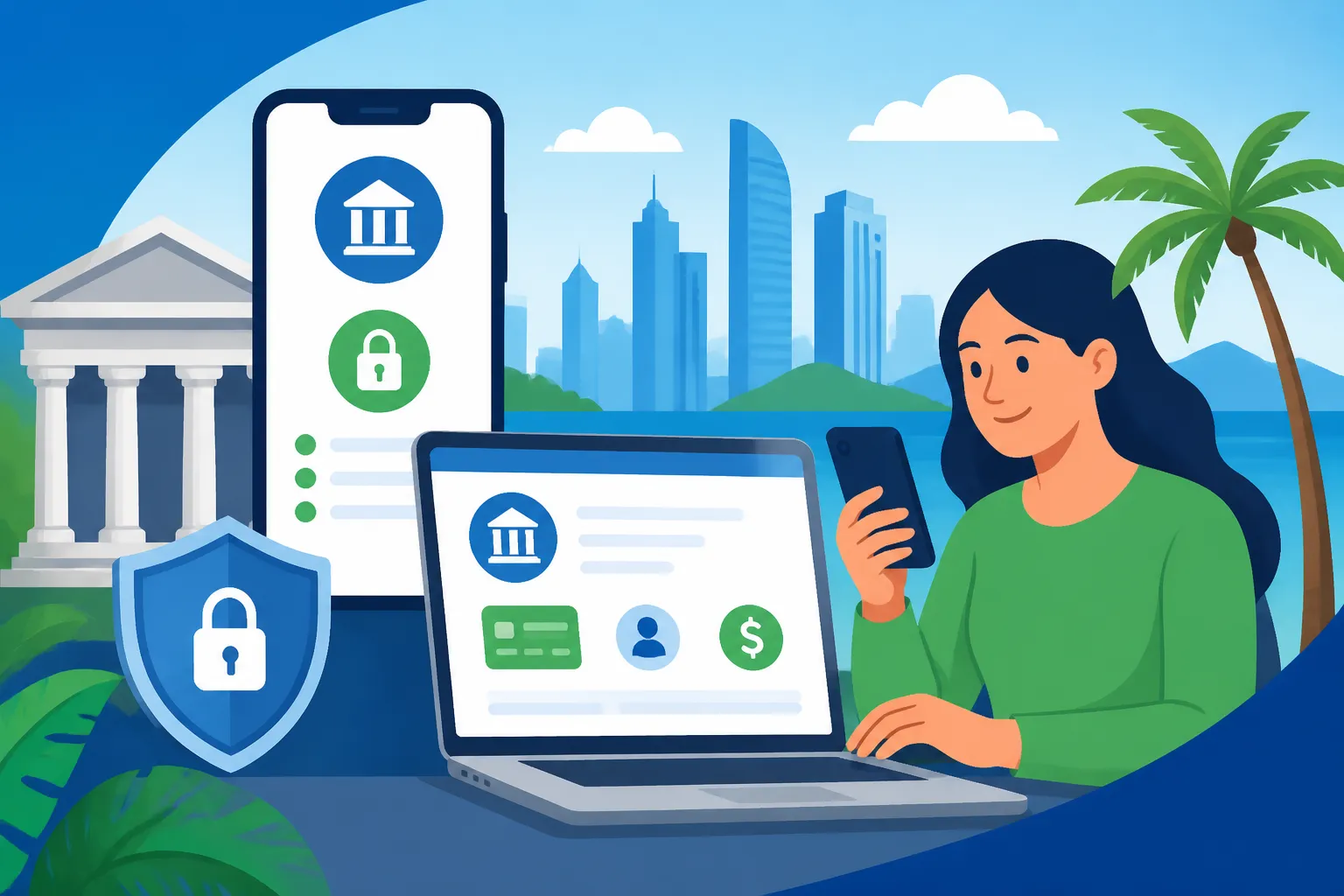
In Panama, mobile banking apps have become incredibly sophisticated and are often even more convenient than the desktop website for everyday tasks. Banks like Banco General and Banistmo offer highly rated apps.
- On-the-Go Access: Pay bills, check balances, transfer funds, and even deposit checks (if available in Panama and supported by your bank's app) directly from your smartphone, no matter where you are. This is particularly useful when you're out and about in Panama City or exploring other regions.
- User Experience: Mobile apps are typically designed for ease of use, with intuitive interfaces and often fingerprint or facial recognition login for quick and secure access.
- Location-Based Services: Some apps might offer features like locating the nearest ATM or bank branch.
- Security Features: The apps usually include the same robust security measures as the desktop site, including multi-factor authentication (often built into the app itself, like a soft token) and encryption.
- QR Code Payments: Some newer apps in Panama are beginning to integrate QR code payment options, allowing for quick, contactless payments at participating merchants. While not yet universally adopted, it's a growing trend.
Having a reliable mobile banking app means your financial world is literally in your pocket, making managing your The Complete Guide to Cost of Living in Panama for Expats (2026) much easier.
| Feature | Banco General (Banca en Línea) | Banistmo (Banca en Línea) | Global Bank (Global Online) |
|---|---|---|---|
| Account Access | 24/7 via Web & Mobile App | 24/7 via Web & Mobile App | 24/7 via Web & Mobile App |
| Bill Pay | Extensive (Utilities, Credit) | Extensive (Utilities, Credit) | Extensive (Utilities, Credit) |
| Local Transfers | Instant (same bank), ACH (other banks) | Instant (same bank), ACH (other banks) | Instant (same bank), ACH (other banks) |
| International Transfers | Yes (Wire transfers, fees apply) | Yes (Wire transfers, fees apply) | Yes (Wire transfers, fees apply) |
| Statements | Digital download available | Digital download available | Digital download available |
| Mobile App | Yes (iOS & Android) | Yes (iOS & Android) | Yes (iOS & Android) |
| Security Token | Soft token (app) or physical | Soft token (app) or physical | Soft token (app) or physical |
| English Language Support | Generally good, both web & app | Generally good, both web & app | Available in settings |
Note: Features and specific processes may change. Always consult your bank's official resources or customer service for the most current information.
Common Challenges and Troubleshooting for Expats
Even with the best intentions and preparation, you might hit a snag or two when dealing with online banking in Panama. It’s part of the expat experience, right? But don't let it discourage you; most issues are solvable.
Language Issues and Customer Support
While the online platforms of major Panamanian banks often have English language options, some sections, notifications, or specific forms might only be in Spanish. This can be a headache when you're trying to understand a critical security message or a new feature.
- Browser Translation: For website issues, a browser's built-in translation feature (like in Chrome or Edge) can be your best friend. It's not perfect, but it can give you the gist of what's being communicated.
- Customer Service: If you're truly stuck, you'll need to contact customer support. Most major banks have dedicated helplines. Try to ask if they have an English-speaking representative available. Sometimes, you might have to call during specific hours to get English support. Be patient, clearly explain your issue, and if necessary, have a friend who speaks Spanish help you out. Remember, the phrase "Habla inglés?" (Do you speak English?) is always a good starting point.
- In-Branch Visit: For persistent issues, a visit to your local branch might be unavoidable. Try to go during off-peak hours (mid-morning on a weekday, avoiding lunch breaks and Fridays) and be prepared with all your identification and account details. Sometimes, a face-to-face interaction is the quickest way to resolve complex problems.
Dealing with Technical Glitches and Security Warnings
Just like any online service, Panamanian online banking can have its moments of technical hiccup.
- Website/App Not Loading: Check your internet connection first. Sometimes, the bank's servers might be undergoing maintenance. Try clearing your browser's cache and cookies, or reinstalling the mobile app.
- Login Issues: If your password isn't working, try the "Forgot Password" option. You'll likely need your registered phone number or email for verification. If your security token isn't generating the correct codes, ensure your phone's time is automatically synced, or if it's a physical token, check its battery (though these usually last years).
- "Suspicious Activity" Warnings: Don't panic immediately, but take these seriously. If the bank detects unusual login attempts or transactions, they might temporarily lock your account or require additional verification. This is a security measure. Follow their instructions carefully. If you receive an email or SMS about suspicious activity, do not click on any links in the message. Instead, open your browser, manually type your bank's official website address, and log in to check your account directly. This protects you from phishing scams.
- Pop-up Blockers: Ensure your browser isn't blocking essential pop-ups from your bank's website, as these are sometimes used for verification windows or transaction confirmations.
Keeping Your Online Banking Secure
Expats are often targets for scams, simply because we're perceived as less familiar with local systems. Being vigilant is your best defense.
- Strong, Unique Passwords: I can't stress this enough. Use a password manager if you struggle to remember complex passwords.
- Multi-Factor Authentication (MFA): Always enable and use MFA. It's an inconvenience, but it's your best defense against unauthorized access.
- Beware of Phishing: Never click on suspicious links in emails or text messages, even if they appear to be from your bank. Always manually type your bank's URL into your browser. Banks will never ask you for your full password or security token codes via email or phone.
- Public Wi-Fi: Avoid accessing your online banking on unsecured public Wi-Fi networks. If you must, use a Virtual Private Network (VPN) for an added layer of security.
- Regular Monitoring: Check your account activity regularly. Report any suspicious transactions to your bank immediately.
- Device Security: Keep your computer and mobile devices updated with the latest software and security patches. Use reputable antivirus software.
By being proactive and cautious, you can minimize risks and enjoy the full benefits of online banking without unnecessary stress. This diligence is also important when dealing with broader financial planning, such as Understanding Income Tax in Panama (2027) and ensuring all your records are in order.
Maximizing Your Online Banking Experience in Panama
Now that you're well-versed in setting up and troubleshooting, let's look at how you can truly leverage your Panamanian online banking to make your expat life even smoother. It’s about more than just transactions; it's about efficient financial management.
Integrating with Other Financial Tools
The beauty of modern online banking is its ability to connect with other financial services, making your financial life more integrated.
- Budgeting Apps: While direct integration with third-party budgeting apps might not be as common or seamless as with banks in North America or Europe, you can still manually track and categorize your spending by downloading your bank statements. Many personal finance apps allow you to import transaction data, helping you keep a close eye on your The Complete Guide to Cost of Living in Panama for Expats (2026).
- International Transfer Services: As mentioned, services like Wise are fantastic for bridging the gap between your Panamanian bank account and your international finances. You can set up recurring transfers, manage multiple currencies, and then easily move the local currency into your Panamanian bank via a local transfer. This circumvents the often higher fees and slower processing times of traditional international wire transfers from Panamanian banks.
- Tax Preparation: Keeping meticulous digital records through your online banking portal simplifies tax season. You can easily download statements to provide to your accountant or for your own records if you're dealing with Taxes for Expats and navigating Panama's territorial tax system. This clarity is essential, especially if you have local income that needs to be declared, or if you need to How to Get an RUC (Tax ID) as a Foreigner in Panama for business purposes.
Understanding Transaction Limits and Fees
Every bank has rules about how much money you can move or spend in a single day or month, both online and with your debit card. These limits are in place for your security, but they can be inconvenient if you’re unaware of them.
- Daily Transfer Limits: Be aware of the maximum amount you can transfer between accounts or to other banks daily. If you need to make a large payment (e.g., for rent or a property purchase), you might need to plan ahead and split the transfer over several days, or arrange it in person at the branch.
- ATM Withdrawal Limits: Your debit card will have daily ATM withdrawal limits, which are separate from online transfer limits.
- International Transfer Limits: If you are using your Panamanian bank for international wires, there might be higher limits, but they will come with more scrutiny and potentially more paperwork.
- Transaction Fees: Pay attention to fees associated with certain transactions. While local transfers within the same bank are usually free, ACH transfers to other Panamanian banks might incur a small fee (though many banks offer a certain number of free ACH transfers per month). International wire transfers will almost certainly have fees, sometimes on both the sending and receiving ends. Check your bank's fee schedule, which is usually available on their website or by asking a representative.
Understanding these limits and fees prevents unexpected delays or charges when you need to move money. It's worth comparing these aspects when you initially Understanding the Difference Between Banistmo, Banco General and Other Banks for your account.
Future Trends in Panamanian Digital Banking
Panama's banking sector is constantly evolving, with a growing emphasis on digital transformation. While it might not always feel as cutting-edge as banking in some developed nations, changes are definitely afoot.
- Improved Mobile Experiences: Expect mobile apps to become even more robust, with more features traditionally found only on desktop platforms.
- Biometric Security: More widespread use of fingerprint and facial recognition for secure logins is likely.
- Digital Wallets and Contactless Payments: While not as prevalent as in other countries, the adoption of digital wallets and contactless payment options (like NFC payments) is slowly growing, especially in Panama City. Your bank's mobile app might eventually integrate directly with these.
- Enhanced Customer Service: Banks are investing in AI-powered chatbots and more sophisticated online support channels to offer quicker assistance.
- Open Banking Initiatives: While still nascent, the concept of "open banking," where you can securely share your financial data with third-party providers (with your consent) to access innovative new services, is gaining traction globally and may eventually influence Panamanian banking.
Staying abreast of these developments can help you adapt and take advantage of new conveniences as they roll out. The goal is always to make your financial management in Panama as seamless and stress-free as possible.
Disclaimer
The information provided in this guide is for general informational purposes only and does not constitute financial, legal, or professional advice. While we strive to keep the information accurate and up-to-date, banking regulations, procedures, and fees in Panama can change. Always consult directly with your chosen Panamanian bank and, if necessary, a qualified financial advisor or legal professional for advice tailored to your specific situation. We are not responsible for any actions taken based on the information in this article.