How to Set Up Internet and Mobile Service in Panama
One of the first real headaches you’ll encounter as an expat or tourist landing in Panama, after you’ve tackled the initial chaos of getting settled, is figuring out how to stay connected. Suddenly, your reliable phone plan from back home is useless, and the free Wi-Fi spots are few and far between. This guide is here to walk you through the often-baffling process of setting up internet and mobile service in Panama, covering everything from local SIM cards to home broadband, so you can call, text, and stream without losing your mind.
Understanding Your Mobile Service Options in Panama
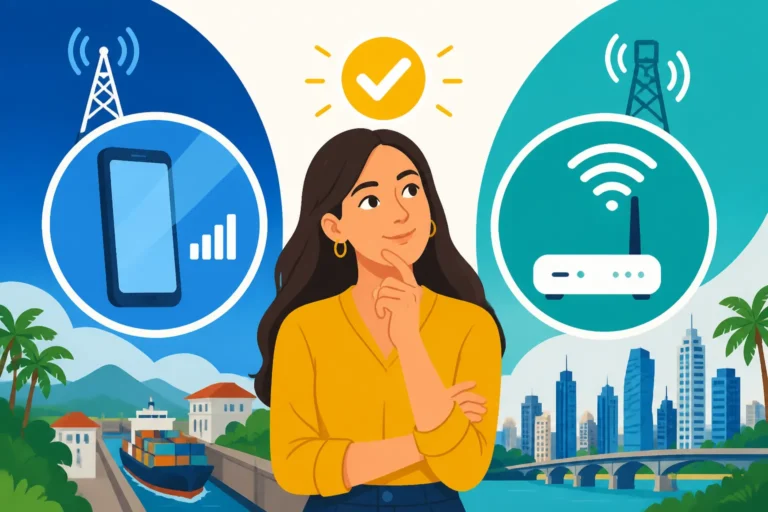
Navigating the mobile landscape in a new country can feel like decoding ancient hieroglyphs, especially when you're just off the plane. In Panama, you've got a few main paths to choose from, each with its own quirks and benefits. It's not just about getting a signal; it's about finding the right balance of cost, convenience, and coverage for your unique needs.
Getting a Local SIM Card
For most expats and long-term visitors, snagging a local SIM card is the most straightforward and cost-effective way to get connected. Forget those exorbitant international roaming charges; a local SIM will give you a Panamanian number, competitive data rates, and the ability to easily top up as needed. The main players in the Panamanian mobile market are +Móvil (often referred to as Cable & Wireless Panama), Tigo, and Claro. Each has its own network coverage strengths and plan offerings, so it's worth doing a little digging based on where in Panama you'll spend most of your time.
The process is generally pretty simple. You’ll need your passport, and often, a copy of your visa or immigration stamp. Head to any official store for +Móvil, Tigo, or Claro, which you’ll find in most major malls like Multiplaza or Albrook Mall, or standalone branches in commercial areas. A friendly sales associate will guide you through the process, which usually takes about 15-30 minutes. Be prepared for a bit of a language barrier if your Spanish isn't up to par, but many staff in the main city stores speak some English. You’ll typically buy the SIM card for a small fee, then choose a pre-paid package or load an initial balance. These packages often include a bundle of data, calls, and texts valid for a certain number of days or weeks. For many, the ability to simply load more money onto their SIM as needed is a huge plus, giving them full control over their spending without getting tied into a contract.
Exploring eSIMs for Initial Connectivity
For those who want to hit the ground running with immediate connectivity, or if you're just here for a shorter visit and don't want the hassle of a physical SIM card, eSIMs are an absolute game-changer. An eSIM is essentially a digital SIM that allows you to activate a cellular plan without needing a physical card. This means you can arrive at Tocumen International Airport, activate your data plan right away, and have internet access before you even clear customs. It's incredibly convenient for those first few days when you need to navigate, contact your rental agent, or simply tell your family you've arrived safely.
Services like Airalo specialize in providing eSIMs for various countries, including Panama. You can download their app, pick a data package for Panama, and activate it almost instantly. The beauty of this is that you can often keep your home country's physical SIM in your phone simultaneously, allowing you to receive important calls or messages on your original number while using the eSIM for local data. While eSIM plans might be slightly more expensive per gigabyte than a local physical SIM for long-term use, their convenience for initial setup or short trips is unmatched. It saves you the immediate pressure of finding a store and dealing with paperwork, allowing you to focus on the exciting parts of settling in.
Post-Paid vs. Pre-Paid Plans
When it comes to mobile service in Panama, you'll have to decide between a pre-paid (prepago) or post-paid (pospago) plan. Each has distinct advantages and disadvantages that cater to different expat lifestyles. Pre-paid plans are by far the most popular choice for new arrivals and many long-term residents, offering flexibility and control. You buy a SIM card, add credit (saldo), and purchase packages (paquetes) as you need them. These packages typically offer a combination of data, unlimited calls to the same network, and some calls to other networks, valid for a week, 15 days, or a month.
The major benefit of pre-paid is that there's no contract, no credit check, and no monthly bill shock. You only pay for what you use or what package you activate. This is ideal if your usage fluctuates, if you're unsure how long you'll be in Panama, or if you simply prefer not to deal with monthly commitments. On the other hand, post-paid plans offer the convenience of a fixed monthly bill and often come with more generous data allowances, unlimited calls, and sometimes even international minutes. However, securing a post-paid plan usually requires a Panamanian bank account, a local ID (like your cédula once you have Permanent Residency in Panama), and potentially a credit check. Some providers might ask for a significant deposit if you don't have a strong local credit history. For many new expats, it’s simply easier to start with pre-paid and transition to post-paid once they are more established.
Setting Up Home Internet in Panama
Beyond your mobile phone, having reliable home internet is practically a necessity in today’s world, whether it's for remote work, streaming entertainment, or staying connected with loved ones. Panama offers several options for home internet, mainly through fibre optic, cable, and sometimes mobile broadband. The choice often depends on your exact location, as some areas have better infrastructure than others.
Fibre Optic and Cable Internet Providers
The two main contenders for home internet in Panama are fibre optic and cable internet, primarily offered by +Móvil (Cable & Wireless Panama) and Tigo. These providers dominate the market, especially in urban and semi-urban areas. Fibre optic internet, known for its incredible speed and stability, is becoming increasingly available in newer developments and established residential areas in Panama City, David, and other growing hubs. If you can get fibre, it’s often the best choice, especially if you rely on a fast and consistent connection for work or heavy streaming.
Cable internet is also widely available and offers good speeds, though typically not as blistering fast or as consistently stable as fibre. For many, cable internet provides more than enough bandwidth for general browsing, streaming, and video calls. When choosing between providers, it's crucial to check what services are actually available at your specific address. Don't assume that just because one street has fibre, your street will too. Always verify directly with the providers. You might find that one provider has a monopoly on your building or neighborhood, or that only one offers the speeds you need. It’s also worth asking neighbors or local expat groups for recommendations, as their real-world experiences can be invaluable.
Understanding Installation and Contract Processes
Getting home internet set up in Panama involves a few steps, and patience is definitely a virtue here. Once you’ve chosen a provider and plan, you’ll need to sign a contract and schedule an installation appointment. This is where things can sometimes get a little tricky for new expats. You'll typically need your passport, your residency card or visa (if you have one), and proof of address – usually a utility bill or rental contract. Some providers may also ask for a Panamanian bank account for direct debit payments, or you might need to provide a credit card. If you don't have a local bank account yet, you might face some hurdles, or be required to pay a larger upfront deposit.
Installation appointments can sometimes take a while to secure, ranging from a few days to a couple of weeks, depending on demand and your location. On the day of installation, a technician will come to your home to run the necessary cables and set up the modem/router. They will usually test the connection before leaving. It’s essential to be present during installation and ask questions if anything is unclear. Make sure you understand the terms of your contract, especially regarding minimum contract periods (which are often 12 or 24 months), early termination fees, and monthly costs. Reading the fine print, even if it’s in Spanish, will save you a lot of grief down the line. If you're struggling with the language, consider bringing a Spanish-speaking friend or hiring a translator for that initial setup, especially if you're navigating other aspects of How to Sign a Rental Contract and Pay a Deposit in Panama.
Alternatives: Mobile Hotspots and Satellite Internet
While fibre and cable are the go-to for home internet, there are situations where these might not be feasible. For instance, if you live in a very rural area outside of the main towns or in a location without established infrastructure, you might need to consider alternatives. Mobile hotspots, using a portable device or your smartphone's tethering feature, can be a decent option for light internet usage. Many mobile providers offer dedicated data plans for these devices. The downside is that speeds can vary significantly depending on your mobile network's signal strength, and data caps can be restrictive and costly for heavy users.
Satellite internet, while available in Panama, is generally the last resort. It's typically much more expensive, offers slower speeds, and suffers from higher latency (delay) compared to fibre or cable. It's primarily used in extremely remote areas where no other options exist. For most expats, even in smaller towns, there will usually be access to either cable or at least a strong mobile signal that can be utilized for a hotspot. Before committing to a remote location, it's a wise move to thoroughly research the available internet options and even test mobile signal strength with a local SIM from the different providers. Remember, moving abroad comes with many considerations, and connectivity is certainly one of them – especially if you plan on Working Remotely from Panama: The Definitive Expat Guide (2027).
Choosing the Right Provider and Plan
With the major players identified for both mobile and home internet, the next step is to actually choose a provider and plan. This isn't just about looking at the headline price; it's about evaluating coverage, customer service, and the specific features that matter most to you. Don't just pick the first one you see; a little comparison shopping can save you frustration and money.
Comparing Mobile Providers: +Móvil, Tigo, Claro
Panama's mobile market is competitive, with +Móvil, Tigo, and Claro vying for customers. Each has its strengths and weaknesses.
- +Móvil (Cable & Wireless Panama): This is often considered the largest and most established provider. They tend to have excellent coverage in major cities and along main highways. Their plans are generally comprehensive, and they offer a wide range of prepaid packages and post-paid options. For many, +Móvil is the default choice due to its extensive network.
- Tigo: Tigo has grown significantly in recent years and offers strong competition, particularly with their data packages and often aggressive promotions. Their network coverage is also quite good, especially in urban and many rural areas. They often appeal to those looking for good value on data.
- Claro: Claro, an international player, also has a presence in Panama. Their network is reliable, and they often provide good international calling rates, which can be a plus for expats who frequently call abroad. Their coverage is generally solid in populated areas.
When making your choice, think about where you'll be using your phone most. If you're staying mostly in Panama City, all three will likely give you a good signal. If you're venturing out to more remote areas, it’s worth asking locals or checking online forums about regional coverage. Some areas might have one provider with a significantly stronger signal than the others.
Comparing Home Internet Providers: Speed and Reliability
For home internet, your primary choices are typically +Móvil and Tigo, though smaller local providers might exist in very specific communities. The key factors to compare are speed (download and upload), reliability, and pricing.
- Speed: Providers advertise speeds in Mbps (megabits per second). For basic browsing and email, 25-50 Mbps might be sufficient. If you work remotely, stream in HD/4K, or have multiple users, you'll want at least 100-200 Mbps, or more if fibre is available. Always ask about both download and upload speeds, especially if you do a lot of video calls or upload large files.
- Reliability: This is harder to quantify from marketing materials, but crucial. Ask about typical uptime, how quickly issues are resolved, and what happens during power outages. Fibre optic connections tend to be the most stable, followed by cable.
- Pricing: Compare monthly fees, but also look out for installation costs, equipment rental fees (for modems/routers), and any hidden charges. Some providers offer bundles that include internet, TV, and landline phone service, which can sometimes be more cost-effective if you need multiple services.
Always read the terms and conditions carefully, especially regarding minimum contract terms and early termination penalties. What often seems like a great deal upfront can become expensive if you need to cancel prematurely, which is a common concern when moving to a new country and unsure of long-term plans.
Essential Documents for Setup
Getting your services connected successfully hinges on having the correct paperwork. While it might seem like a bureaucratic maze, especially if you're fresh off the plane, knowing what to expect can smooth the process considerably.
For a mobile SIM card (pre-paid), you'll almost universally need:
- Your physical passport (not just a copy).
- Your visa stamp or residency card (if you have one).
- Sometimes, proof of address like a hotel booking or rental agreement, though this is less common for simple pre-paid SIMs.
For post-paid mobile plans or home internet (fibre/cable), the requirements are stricter:
- Your physical passport.
- Your Panamanian residency card (cédula) or an active visa that permits long-term stay.
- Proof of address: A recent utility bill in your name (if you've already set up electricity or water), or your rental contract.
- A Panamanian bank account for direct debit, or a major international credit card. Some providers might also ask for an employment letter or proof of income, especially for higher-tier plans.
It's always a good idea to have several photocopies of your passport and visa/residency card on hand, as well as a few passport-sized photos, just in case. The requirements can vary slightly between providers and even individual branches, so being over-prepared is better than having to make multiple trips. Don't forget, when you're looking to establish yourself, understanding How Your Residence Status Affects Health Coverage in Panama can also tie into how easily you can set up other services.
| Feature | +Móvil (Cable & Wireless) | Tigo | Claro |
|---|---|---|---|
| Mobile Coverage | Strong in cities, good in rural areas, extensive network. | Excellent in cities, growing rural coverage, good data. | Good in cities, reliable in many populated areas. |
| Home Internet | Wide availability (fibre & cable), strong in new developments. | Wide availability (fibre & cable), competitive speeds. | Limited home internet presence, primarily mobile. |
| Pre-paid Mobile | Diverse data/call packages, easy top-up. | Competitive data packages, often good promotions. | Good international call rates, reliable basic packages. |
| Post-paid Mobile | Requires Panamanian ID/credit, various plans. | Requires Panamanian ID/credit, good bundles. | Requires Panamanian ID/credit, focus on international. |
| Customer Service | Extensive network of physical stores, online support. | Growing network of stores, strong social media support. | Physical stores, online chat, sometimes longer wait times. |
| Typical Monthly Cost (Mobile) | $10-$30 for decent pre-paid package, $30+ for post-paid. | $10-$25 for good pre-paid data, $25+ for post-paid. | $10-$25 for pre-paid, $25+ for post-paid. |
| Typical Monthly Cost (Home Internet) | $40-$100+ depending on speed (50-500 Mbps). | $35-$90+ depending on speed (50-400 Mbps). | N/A (focus on mobile broadband). |
Installation and Activation: What to Expect
Once you've done your homework, picked your provider, and gathered all your documents, it's time for the actual setup. This phase can be either delightfully smooth or a test of your patience, depending on the provider, the day, and a little bit of Panamanian "mañana" (tomorrow) culture. Understanding the steps involved and what to anticipate can help manage expectations.
Scheduling and Technician Visits
For mobile service, if you're getting a pre-paid SIM, activation is usually instant right at the store. You walk out with a working phone. For home internet or a post-paid mobile contract, you'll need to schedule an appointment. This is where the Panamanian pace can kick in. While some appointments might be available within a few days, it’s not uncommon to wait a week or two, especially during peak times or in areas with limited technicians. When scheduling, try to get a specific time window, not just "sometime next week." Even then, expect some flexibility; technicians may arrive earlier or later than stated. It’s always a good idea to confirm the appointment the day before.
On the day of the visit, ensure you or a trusted Spanish-speaking friend are home. The technician will typically assess the wiring, run new cables if necessary, and set up your modem and router. This can take anywhere from an hour to several hours, depending on the complexity of the installation. They’ll need access to power outlets and sometimes the main connection points in your building. Once installed, they should test the connection with you to ensure it’s working as promised. Don't be shy about asking them to show you the speed test results on their equipment or your own device. This is your chance to confirm you’re getting what you paid for.
Activating Your Service and First Steps
For mobile services, after purchasing your SIM card and chosen package, the store attendant will usually activate it for you on the spot. You might receive an SMS confirming your plan details. For eSIMs, activation typically involves scanning a QR code or entering a code into your phone settings, following the instructions from your provider (like Airalo). Make sure your phone is unlocked before you try to use a local SIM. Most modern smartphones are unlocked, but if you bought your phone through a carrier contract, it might be locked to that network.
For home internet, once the technician has finished, your Wi-Fi network name (SSID) and password will be displayed, often on a sticker on the modem itself. Connect your devices, and check if you can browse the internet. It’s a good practice to immediately change the default Wi-Fi password to something more secure. If you’re not getting the advertised speeds, try restarting the modem and router. If issues persist, make a note of the technician's visit details and contact customer support. Remember that while you’re busy with this, you might also be looking into How to Set Up Electricity in Your Panama Home and other utilities, so keeping track of each separate process is key.
Navigating Language Barriers and Support
One of the biggest hurdles for expats during setup can be the language barrier. While some staff in major provider stores in Panama City might speak English, this isn't guaranteed, especially for customer support lines or technicians who come to your home. If your Spanish isn't strong, consider these strategies:
- Bring a Spanish-speaking friend: For important interactions like contract signing or installation, having a local friend or a professional translator can be invaluable.
- Use translation apps: Apps like Google Translate can help with basic communication, but complex explanations might still be challenging.
- Write down key questions/phrases: Prepare a list of questions or concerns in Spanish beforehand.
- Ask for an English-speaking representative: In larger call centers, it’s sometimes possible to request an English speaker, but there might be a wait.
For technical support, try to be as clear and concise as possible, describing the problem using simple Spanish words. Often, they will guide you through basic troubleshooting steps like restarting your modem. If the problem is persistent, don't hesitate to follow up. Keeping records of call times, representative names, and reference numbers can be helpful for future interactions.
Managing Your Bills and Contracts
Once you're all set up and enjoying seamless connectivity, the next phase is managing your monthly bills and understanding your contract terms. This is where the initial work of reading the fine print really pays off, ensuring you avoid unexpected charges or frustrating cancellation processes down the line.
Understanding Your Monthly Bill
Panamanian utility bills, including those for internet and post-paid mobile, can sometimes look a bit different from what you're used to. It’s important to familiarize yourself with the charges. Your bill will typically detail your monthly service fee, any equipment rental charges (for your modem/router), taxes (like ITBMS, Panama’s equivalent of VAT), and any extra services or usage fees. Always double-check for accuracy. If you notice any unfamiliar charges, contact customer service immediately for clarification.
Many providers offer online portals or apps where you can view your bills, track your usage, and manage your account. These can be very convenient, especially if you prefer to pay online. If you're on a pre-paid mobile plan, managing your expenses is simpler: you just top up as needed. Keep an eye on expiration dates for your data packages to avoid being caught without service. Knowing how to decipher your bills is a crucial part of managing your Cost of Living in Panama for Expats (2026).
Payment Methods and Auto-Pay
Panama offers several convenient ways to pay your bills. The most common options include:
- Online Banking: Most major Panamanian banks (like Banco General or Banistmo) allow you to pay utility bills directly through their online banking platforms. You'll usually need to register your service account number.
- Provider Apps/Websites: Both +Móvil and Tigo have dedicated apps and websites where you can pay using a credit card or debit card.
- Physical Stores: You can always visit a provider’s store or a designated payment center (like an authorized kiosk in a supermarket) to pay your bill in person with cash or card.
- Auto-Pay: Setting up automatic payments via your Panamanian bank account or a credit card is often the easiest way to ensure your bills are paid on time and you avoid service interruptions. However, always monitor your statements to catch any discrepancies.
When you're first arriving, and might not have a local bank account yet, physical payments or using an international credit card through the provider's website might be your only options. This is another area where navigating Banking in Panama: A Complete Guide for Foreigners (2027) becomes essential.
Contract Terms and Cancellation Policies
Before you sign any contract, whether for mobile or home internet, ensure you fully understand the terms and conditions. Key aspects to look for include:
- Contract Length: Most home internet and post-paid mobile contracts in Panama have a minimum term, typically 12 or 24 months.
- Early Termination Fees: If you cancel before your contract term is up, you will almost certainly incur a penalty. These fees can sometimes be substantial, so if you’re unsure about your long-term plans in Panama, consider shorter-term options or flexible pre-paid services.
- Equipment Return: If you’re renting equipment (modem, router), you’ll need to return it in good condition upon cancellation. Failure to do so can result in additional charges.
- Notice Period: Most contracts require a notice period (e.g., 30 days) before cancellation.
If you decide to leave Panama or switch providers, start the cancellation process well in advance. Don't wait until the last minute, as it can sometimes be a multi-step process. Be prepared to visit a physical store to complete the cancellation and return any equipment. Obtaining a "Paz y Salvo" (a document confirming you have no outstanding debts) might be necessary for certain processes, especially if you’re planning to leave the country definitively, tying into the broader experience of The Complete Visa and Immigration Guide for Relocating to Panama (2027).
Troubleshooting Common Internet and Mobile Issues
Even with the best providers, you'll inevitably run into a snag or two. From dropped calls to sluggish Wi-Fi, knowing how to approach common issues can save you a lot of grief. Don't panic; most problems have relatively straightforward solutions.
Mobile Network Issues
Sometimes, your mobile signal might mysteriously disappear or become weak, even in areas where it usually works perfectly. This could be due to a few things:
- Coverage Gaps: While providers boast wide coverage, there are still dead spots, especially in remote areas, inside large buildings, or in specific valleys. If you consistently lose signal in a particular location, it might just be a coverage gap.
- Network Congestion: During peak hours or large events, mobile networks can get congested, leading to slower data speeds or dropped calls.
- SIM Card Issues: Occasionally, the SIM card itself might be faulty or improperly inserted. Try taking it out and reinserting it.
- Phone Settings: Check if your phone's airplane mode is accidentally on, or if you've restricted data usage for certain apps. Ensure your phone is set to automatically select the network.
A simple restart of your phone often resolves temporary glitches. If the problem persists, try using another phone with your SIM card (if possible) to determine if the issue is with your device or the network. Then, contact your mobile provider’s customer support, giving them as much detail as possible about when and where the issue occurs.
Home Internet Connectivity Problems
Home internet can be prone to its own set of frustrations, from slow speeds to complete outages.
- Slow Speeds: First, run a speed test (e.g., through speedtest.net). If your speeds are consistently lower than what you’re paying for, try restarting your modem and router. Unplug them, wait 30 seconds, and plug them back in. If multiple devices are connected, they might be hogging bandwidth. Also, consider the age of your router; older routers might not handle faster speeds efficiently.
- Intermittent Connection: If your internet keeps dropping in and out, check all cables to ensure they are securely plugged in. Loose connections are a common culprit. If you're using Wi-Fi, try connecting directly to the modem with an Ethernet cable to see if the problem is with your Wi-Fi signal (which could be interference or a faulty router) or the main internet line.
- Complete Outage: For a complete loss of internet, first check if there’s a power outage in your area or if your modem/router has lost power. If all lights on your modem are off, check the power supply. If some lights are on but the internet light is off or flashing incorrectly, it indicates a problem with the service from your provider.
For persistent issues, it’s time to call your internet provider’s technical support. Be ready to describe the lights on your modem, the troubleshooting steps you've already taken, and the exact nature of the problem. They might run diagnostics remotely or schedule a technician visit if necessary. This is one of those times when having a grasp of basic Spanish technical terms will be incredibly helpful, or having a local friend make the call for you.
What to Do During an Outage
Power outages are a relatively common occurrence in some parts of Panama, especially outside of Panama City, and can, of course, affect your internet and mobile services. If the power goes out, your home internet will go down immediately unless you have an uninterruptible power supply (UPS) for your modem and router. Your mobile phone, however, should still work as long as its battery lasts and the mobile network towers in your area have backup power.
During a widespread outage, mobile networks can also become congested as everyone relies on their phones for communication. Be prepared for potentially slower data speeds and difficulty making calls. If you're reliant on power for work, consider investing in a portable power bank for your phone and a small UPS for your modem/router. In the event of a prolonged outage, check local news or social media for updates from utility companies. Staying connected, even minimally, is key during any kind of emergency, and knowing What Should I Do in a Medical Emergency in Panama City? is another vital piece of information to have readily available.
Disclaimer
The information provided in this guide is for general informational purposes only and does not constitute professional advice. While we strive to keep the information accurate and up-to-date, telecommunications policies, pricing, and availability in Panama can change rapidly. Always verify current details directly with service providers or legal professionals before making any decisions. We are not responsible for any errors or omissions, or for any actions taken based on the information provided herein.